Best outdoor security cameras without a subscription: our verdict
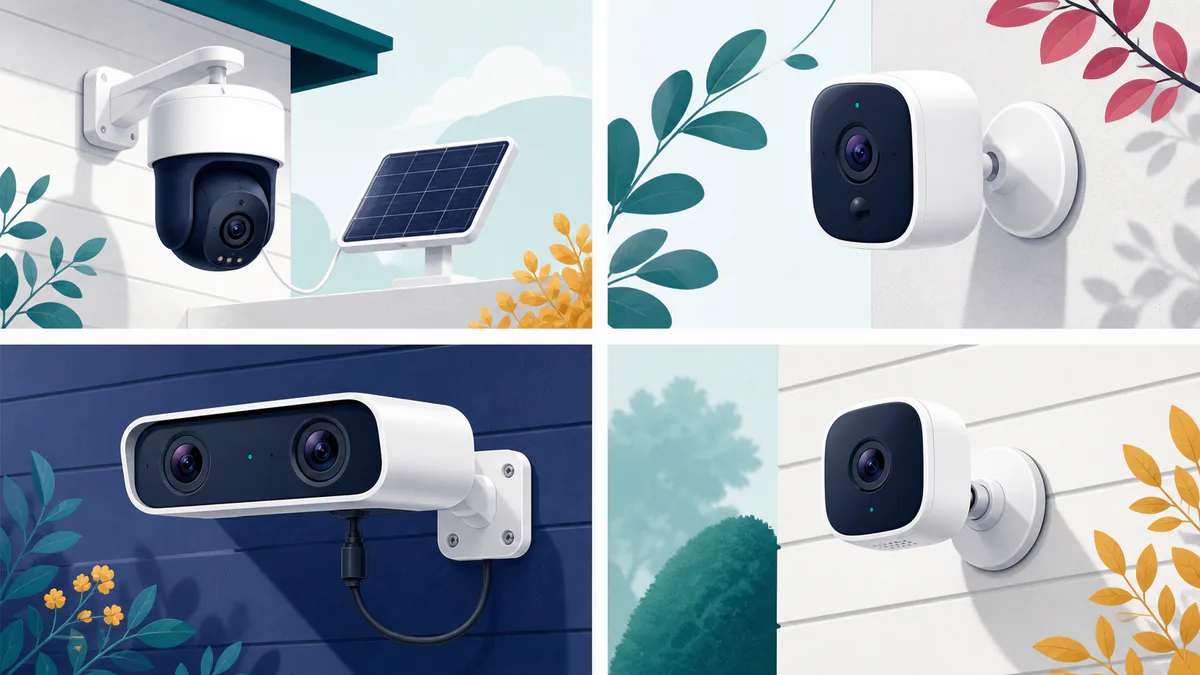
The eufy SoloCam S340 is the best outdoor security camera without a subscription for most homes. Its included solar panel, built-in storage, dual lenses and motorized view make it unusually complete out of the box. You can record and review motion events without paying a monthly storage fee.
This guide compares four strong local-recording options, then explains the storage, power, installation and privacy tradeoffs that matter before you buy.
The TP-Link Tapo C425 is our best wireless security camera for a lower budget. It costs less than half as much at its current sale price, yet includes useful smart detection and supports a microSD card. The Reolink Duo 3 PoE is the right choice for continuous wired recording and wide properties. Apple Home users should start with the Aqara Camera Hub G5 Pro, which combines a camera, local AI and a capable smart-home hub.
“Without a subscription” does not mean that every feature works without the internet. It means the camera can perform its central security job—recording and letting you review video footage—without recurring fees. Remote viewing, motion alerts, firmware downloads, voice-assistant links and some app functions can still depend on an internet connection or a third-party server.
Prices were checked on August 24, 2026. Sales, bundles and retailer pricing may change.
| Camera | Best for | Price checked August 24, 2026 |
|---|---|---|
| eufy SoloCam S340 | Best overall | $199.99 |
| TP-Link Tapo C425 | Best value | $89.99 sale |
| Reolink Duo 3 PoE | Continuous wired recording | $178.49 sale |
| Aqara Camera Hub G5 Pro | Apple Home and local automation | $199.99 |
What counts as a no-subscription security camera?
A camera qualifies here when you can store and play back meaningful recordings after the purchase without keeping a paid cloud plan active. Live video alone is not enough. A camera that shows what is happening now but puts all video history behind a monthly charge does not meet that standard.
All four picks provide a local storage path:
- The eufy SoloCam S340 has built-in eMMC storage and can connect to an indoor HomeBase.
- The Tapo C425 records to a microSD card and can work with Tapo’s H200 hub on supported firmware.
- The Reolink Duo 3 PoE records to microSD, an NVR or an FTP server.
- The Aqara G5 Pro has built-in encrypted eMMC storage and can send continuous recordings to compatible network storage.
A paid plan may still add off-site backup, longer history, richer notification previews or professional monitoring. Those additions can be useful. They are not required for the core features or local recording paths described here, so these cameras can avoid cloud fees for basic recording.
Local storage also does not mean a camera is completely offline. Wireless cameras commonly rely on a mobile app for setup, remote access and notifications. If your internet connection fails, a local camera may continue recording while alerts and viewing from outside the home stop working.
| Pick | Included no-fee storage path | Main limitation |
|---|---|---|
| eufy SoloCam S340 | 8GB built-in eMMC | Motion-event recording only |
| Tapo C425 | microSD up to 512GB, card sold separately | Battery model cannot record continuously |
| Reolink Duo 3 PoE | microSD, NVR or FTP | Requires Ethernet cabling and PoE power |
| Aqara Camera Hub G5 Pro | 8GB encrypted eMMC; SMB NAS support | Fixed view and continuous power required |
What matters most when choosing
Local storage is the starting point, not the entire decision. The best security cameras also deliver useful video quality and reliable motion detection. A camera can avoid paying monthly fees and still be a poor fit if it misses the part of the yard that matters, wakes too slowly or requires frequent charging.
Coverage comes first. A wide fixed lens suits a driveway, while a motorized camera with auto tracking can follow movement around a corner. Check vertical coverage too: a wall-mounted camera may miss the ground below it. Lens placement, lighting, frame rate and distance can matter more than the resolution number or claims of fine detail.
Power determines recording behavior. Battery and solar cameras are easy to place but usually sleep between events to save power. PoE supports continuous recording because one Ethernet cable carries data and power. A mains-powered Wi-Fi camera avoids battery limits but still needs a strong wireless link.
Storage location matters as much as capacity. Footage inside a stolen or damaged camera may disappear with it. An indoor hub, NVR or NAS protects recordings away from the mount.
Firmware availability, account protection, encryption and a manufacturer’s response to reported flaws also affect long-term security.
Best overall: eufy SoloCam S340
The SoloCam S340 is the most complete single-camera package in this group. Eufy’s US product page listed it at $199.99 when prices were checked. That price includes a removable solar panel, a 10,000mAh battery, 8GB of built-in eMMC storage and two camera modules.
The wide camera records at up to 3K, while the telephoto camera records at up to 2K. The housing can pan through 355 degrees and tilt through 70 degrees. Eufy also advertises 8x hybrid zoom. That combination is useful when one mounting point needs to watch a driveway, side gate and part of a yard.
An independent PCWorld review of the SoloCam S340 praised its image quality and reported effective detection. The reviewer also found that it could be trigger-happy before its settings were refined and that motorized movement was not instantaneous. Those findings make activity zones and detection sensitivity worth configuring during the first week to reduce false alerts.
Storage and subscription boundary
The camera records motion events to its built-in 8GB storage without a required cloud plan. Eufy sells cloud storage, but local recording, playback and on-device detection do not depend on that plan.
Eight gigabytes is modest, and the storage is not removable. Event length, traffic and detection settings will determine how many recorded clips it holds. Eufy’s HomeBase S380 can move storage indoors and supports drives up to 16TB, according to the SoloCam product information. The HomeBase costs extra, but it is a sensible addition for multiple cameras or a location where theft is a concern.
This is not a continuous-recording camera. It wakes for detected events, so it can miss the beginning of fast movement or gaps between triggers. Choose the Reolink if uninterrupted recording is essential.
Power, weather resistance and installation
The included 2.2-watt solar panel is the S340’s largest practical advantage. It can attach to the camera or sit nearby for better sun exposure. Shade, season, temperature and event volume will affect charging, so a shaded porch may still require manual charging.
The battery can also be charged manually. Place the panel where it receives reliable direct light and leave enough cable slack for the camera to pan freely. The camera connects through 2.4GHz Wi-Fi, which usually reaches farther than 5GHz but can be crowded in dense neighborhoods.
Eufy describes the S340 as IP67 weather resistant. Good placement still helps. Avoid spots where roof runoff can strike the lens directly.
Privacy and security considerations
Eufy’s privacy history deserves clear attention. In 2022, researchers and reporters challenged the company’s earlier claims about cloud use, including its handling of notification thumbnails and access to video streams. Ars Technica documented Eufy’s response and the gaps between its marketing and actual behavior at the time.
Eufy later described changes involving authenticated WebRTC connections and stronger encryption. Its current privacy commitment says recordings use AES encryption and describes an advanced encryption setting. The company also explains that thumbnail notifications can temporarily involve cloud processing.
That history does not erase the S340’s strong hardware value, but it should affect the purchase decision. Buyers who place more weight on open local protocols and self-managed recording may feel more comfortable with the Reolink. Use a unique account password, enable every available encryption control and turn on two-step verification when offered.
Choose the SoloCam S340 if you want one flexible camera with no wiring project, no separate memory card and minimal charging. Skip it if you need continuous footage, a removable card, open RTSP access or a vendor with a less contentious privacy record.
Best value: TP-Link Tapo C425
The Tapo C425 provides the clearest route to a capable wireless security camera on a smaller budget. TP-Link’s US store listed it at $89.99 on sale when checked. The price does not include a microSD card or solar panel.
According to TP-Link’s C425 specifications, the camera records in 2K QHD and has a 142-degree diagonal field of view. Its free detection tools can identify people, pets and vehicles. Standard notifications and local playback remain available without Tapo Care. Tapo Care adds cloud history and notification snapshots rather than enabling local recording.
Storage, battery and daily use
The C425 accepts microSD storage up to 512GB. A high-endurance card is worth buying because security cameras write far more frequently than phones or still cameras. TP-Link also supports clip storage through the Tapo H200 hub with compatible hardware and firmware. Check the support page for the exact camera revision before assuming every hub feature is present.
The 10,000mAh battery is designed for event recording. TP-Link advertises up to 300 days at 230 seconds of activity per day, or about 180 days at 360 seconds per day. Busy scenes, cold weather, long clips and weak Wi-Fi will shorten those controlled estimates.
A separate Tapo solar panel can reduce manual charging. Without it, mount the camera where it is easy to remove or connect for charging. Like the eufy, the C425 cannot provide 24/7 recording on battery power.
The C425 carries an IP66 rating. It is built to resist dust and strong water jets, but it is still wise to shelter the charging port and avoid aiming the lens directly into intense afternoon sun.
A Digital Camera World review found strong 2K video and useful AI detection, with the battery still at 92% after roughly three weeks. The reviewer also encountered initial firmware installation failures and slow card formatting.
Check the hardware revision and firmware
TP-Link sells the C425 in several hardware revisions, and their firmware histories differ. Check the revision printed on the camera or packaging before downloading anything.
The US C425 firmware page shows that newer V2.60 firmware added microSD encryption. Do not assume that every older revision has the same at-rest protection.
More importantly, the National Vulnerability Database entry for CVE-2025-14300 describes an authentication bypass affecting C425 V1.20 firmware before version 1.2.27 Build 260518. TP-Link’s V1.20 download page lists a July 24, 2026 release that enhances device security and stability.
If you receive V1.20 hardware, update it before mounting the camera. Confirm the installed build number in the Tapo app rather than assuming a newly purchased unit left the factory with current software. TP-Link’s US policy provides a one-year warranty for wire-free cameras.
Choose the C425 for a rental, small patio, side door or low-traffic driveway where price and easy mounting matter more than continuous footage. Choose the eufy if an included solar panel and internal storage are worth the higher price. Buyers who keep sensitive footage should verify the C425 hardware revision and its microSD encryption support before purchase.
Best for continuous wired recording: Reolink Duo 3 PoE
The Reolink Duo 3 PoE is the strongest choice for a wide driveway, parking area or long fence line that needs continuous coverage. Reolink’s US store listed it at $178.49 on sale, down from $209.99, when checked.
Two 4K sensors create a combined 16MP image with a stated resolution of 7680 by 2160 at 20 frames per second. Reolink’s product page lists a 180-degree horizontal and 55-degree vertical field of view. The wide panorama can replace two conventional cameras when activity moves across a broad horizontal area.
The shallow vertical view is the tradeoff. It may not show packages or a person standing directly beneath the mount. A doorbell camera or a second downward-facing camera can cover that gap.
The Duo 3 includes infrared night vision, spotlights for full-color night vision, a built-in microphone and speaker for two-way communication, plus person detection and alerts for vehicles and animals. A specialist HomeCamCafe review praised detection and zoomed detail while noting a fiddly mounting bracket and thin documentation.
The strongest local recording choices
Reolink supports continuous, motion-triggered or scheduled recording to a microSD card up to 512GB. It can also record to a Reolink NVR or FTP server. The company’s support documentation states directly that cloud service is not required for recording, so the owner keeps a local path to their own footage.
A card is enough for a single camera and short retention. A 16MP continuous stream can fill it quickly, however. An indoor NVR with a hard drive is the better match for around-the-clock recording, several cameras or evidence that should survive theft of the outdoor unit.
Reolink also lists RTSP, ONVIF, HTTPS and SSL support. Those protocols provide more freedom to connect the camera to compatible recorders and local software. The product documentation does not make a clear, model-specific promise of microSD encryption at rest, so treat a card removed from the camera as potentially readable.
PoE installation and weather resistance
Power over Ethernet carries data and power through one cable. That produces a stable connection and avoids batteries, but it requires a PoE switch, PoE injector or compatible NVR. Reolink’s specifications list IEEE 802.3af support.
Plan the cable path before drilling. Use outdoor-rated cable where it is exposed, protect wall penetrations from water and keep connectors inside a weatherproof junction box. If the setup laptop lacks Ethernet, one of the best USB-C hubs with a reliable wired network port can make local NVR and camera setup easier.
The camera is rated IP67. Its wide body also presents more surface area to wind than a compact bullet camera, so fasten the bracket to solid material rather than thin siding alone. Reolink provides a two-year limited warranty.
Choose the Duo 3 PoE for dependable continuous recording, a very wide scene or a system that may grow into several wired cameras. Skip it if drilling is not allowed, the camera must run on battery or the main target is a package directly below the mount.
Best for Apple Home: Aqara Camera Hub G5 Pro
The Aqara Camera Hub G5 Pro is more than a fixed outdoor camera. It also serves as a Zigbee hub, Thread border router and Matter controller for a broader smart-home system. Aqara’s US store displayed a price of $199.99 when checked. Wi-Fi and PoE versions are sold, so confirm the selected model and cart price before ordering.
The G5 Pro records at 2688 by 1520 through a 133-degree lens. Its f/1.0 aperture is designed for color video in low light. On-device detection covers faces, people, vehicles, animals, packages, lingering, lens obstruction and selected sounds.
Its largest advantage is platform support. Aqara lists Apple Home and HomeKit Secure Video alongside Alexa, Google Home, SmartThings and Home Assistant. The camera’s hub can bridge supported Aqara devices into Matter, although the camera itself is not a generic Matter camera endpoint.
Local storage and post-launch improvements
The current US listing specifies 8GB of encrypted eMMC storage. Some older or non-US coverage refers to a larger capacity, but US buyers should rely on the current 8GB listing rather than assuming they will receive 32GB.
Local AI and event recording can work without an Aqara cloud subscription. The built-in storage will overwrite older clips as it fills. Aqara also supports RTSP and network storage through SMB.
The G5 Pro launched with frustrating restrictions, including a long free detection cooldown and barriers around downloading local clips. An April 2025 feature update from Aqara’s UK store describes later changes that shortened the free detection interval to 15 seconds, enabled local clip downloads and added continuous SMB NAS recording plus ONVIF support.
Install current firmware before judging the camera by early reviews. A launch-period Tom’s Guide review praised the crisp, natural video and broad smart-home support but criticized awkward clip saving under the original software.
HomeKit Secure Video is a separate path. Apple requires a compatible paid iCloud+ plan for recorded camera history, as explained in Apple’s iCloud guide. That fee is not necessary for Aqara’s own local eMMC and NAS recording.
Power, placement and limits
Both versions require continuous power. The Wi-Fi model needs a nearby outlet, while the PoE model uses Ethernet for power and data. Unlike the eufy, the G5 Pro has a fixed view. Careful placement is essential because it cannot turn to follow action beyond its 133-degree frame.
The G5 Pro is rated IP65 and for temperatures from -22°F to 122°F. IP65 is suitable for outdoor use but provides less water-ingress protection than the IP66 Tapo or IP67 eufy and Reolink. An eave or sheltered wall is preferable in locations with driven rain. Aqara’s US limited warranty lasts one year.
Choose the G5 Pro if Apple Home, HomeKit Secure Video, Home Assistant or Aqara sensors already play a major role in your home. Choose another camera if you need battery power, motorized coverage or a large amount of included storage.
MicroSD, built-in storage, hub, NVR or NAS?
The storage medium affects reliability, cost and how much work the system requires.
| Storage location | Main strength | Main catch |
|---|---|---|
| Camera microSD or eMMC | Simple and inexpensive | Footage can leave with a stolen camera |
| Indoor hub | Easier multi-camera management | Extra hardware and brand lock-in |
| NVR or NAS | Long retention and indoor protection | More setup, power use and maintenance |
MicroSD is the simplest path. A camera with a built-in microSD card slot can keep hours, days or weeks of footage, depending on card capacity, resolution, frame rate, clip length and motion frequency. That card can also leave with a stolen camera, so mount the device securely or copy important clips elsewhere. Use a high-endurance card, format it inside the camera and check its health periodically.
Built-in eMMC removes the need to buy a card but cannot expand. The eufy’s 8GB suits motion clips, while Aqara’s 8GB can act as a buffer for larger NAS storage.
An indoor hub protects footage if someone takes the outdoor camera and manages several units in one place. The tradeoff is deeper dependence on one brand.
An NVR can record several wired cameras continuously to a large hard drive. A NAS can serve a similar role for compatible cameras, but setup requires more care.
No local medium protects against every event. Fire, flooding, theft of the indoor recorder or drive failure can still destroy recordings. If off-site evidence is essential, consider a limited cloud plan or another secured remote backup even when the camera itself works without a subscription.
Installation details that prevent missed events
Start with the scene, not the mounting hardware. Stand where the camera will go and check whether vehicles, faces and approach paths remain visible. Avoid placing a wide camera where a wall consumes half the frame. Keep bright porch lights and reflective siding from dominating the night image.
Mount high enough to discourage tampering but low enough to capture faces rather than the tops of heads. A camera aimed too steeply downward can shorten useful detection range. Test the live view before drilling final holes.
For Wi-Fi models, check signal strength at the mounting point with doors and windows closed. None of these cameras needs a Wi-Fi 7 router. Range, placement and backhaul quality matter more than the newest label; our comparison of Wi-Fi 6 versus Wi-Fi 7 explains when a router upgrade has practical value.
Keep battery cameras within reach for service. Leaves, snow, dirt and seasonal shade can reduce solar charging, so check the battery trend after a week of normal activity.
For PoE, label both ends of each cable and leave a service loop near the recorder. Protect outdoor junctions from water. Put the NVR and network equipment on a small battery backup if short power cuts are common.
Test alerts while someone walks, runs, drives and approaches from the edge of the frame. Adjust activity zones and sensitivity until the camera catches important movement without reporting every passing branch. If you often answer two-way audio away from home, comfortable wireless earbuds under $100 can make conversations easier to hear in busy places.
Aim cameras only at areas you have a legitimate reason to watch. Mask neighboring windows and private spaces where the app provides privacy zones.
Keep local cameras secure
Update the camera, hub and recorder before normal use. New inventory can sit in a warehouse for months with old firmware. Check again several times a year if automatic updates are unavailable.
Give the camera account a unique password and enable two-step verification. Secure the associated email account as carefully as the camera login. Place cameras on a separate IoT or guest network when your router allows it, while preserving the local connections needed by an NVR, NAS or hub.
Avoid exposing RTSP, ONVIF or camera web ports directly to the public internet. Use the manufacturer’s secured remote access, a properly configured VPN or a recorder designed for remote viewing. Local protocols are valuable, but an open port can turn that flexibility into a security risk.
Review saved users and shared-camera invitations periodically. Remove access for former residents, installers or temporary guests. Confirm that recording still works after firmware updates, router replacements, memory-card changes and power failures.
Which camera should you choose?
Buy the eufy SoloCam S340 if you want the easiest all-in-one outdoor package. Its built-in storage, included solar panel and motorized dual-camera view cover the broadest set of household needs. Accept its event-only recording and weigh Eufy’s privacy history carefully.
Buy the Tapo C425 if price is the deciding factor. It offers strong local features for the money, but you must add a card, manage charging and verify the hardware revision and firmware.
Buy the Reolink Duo 3 PoE if continuous footage and local control matter more than installation simplicity. Its NVR and open-protocol support make it the strongest foundation for a larger wired system.
Buy the Aqara G5 Pro if the camera must fit deeply into Apple Home or a local smart-home setup. Its hub functions and updated NAS support are unusually capable, though its fixed view and 8GB internal storage limit stand-alone use.
A subscription-free camera is not automatically the cheapest or most private choice. The right model is the one whose recording method, power source, software support and storage location still make sense after the sale price is forgotten.